In today’s fast-paced business world, productivity tools are essential for efficiency, collaboration, and growth.
While many companies invest in Microsoft 365, they often overlook some of its most powerful features.
Understanding these hidden capabilities can save time, improve workflows, and enhance overall business performance.
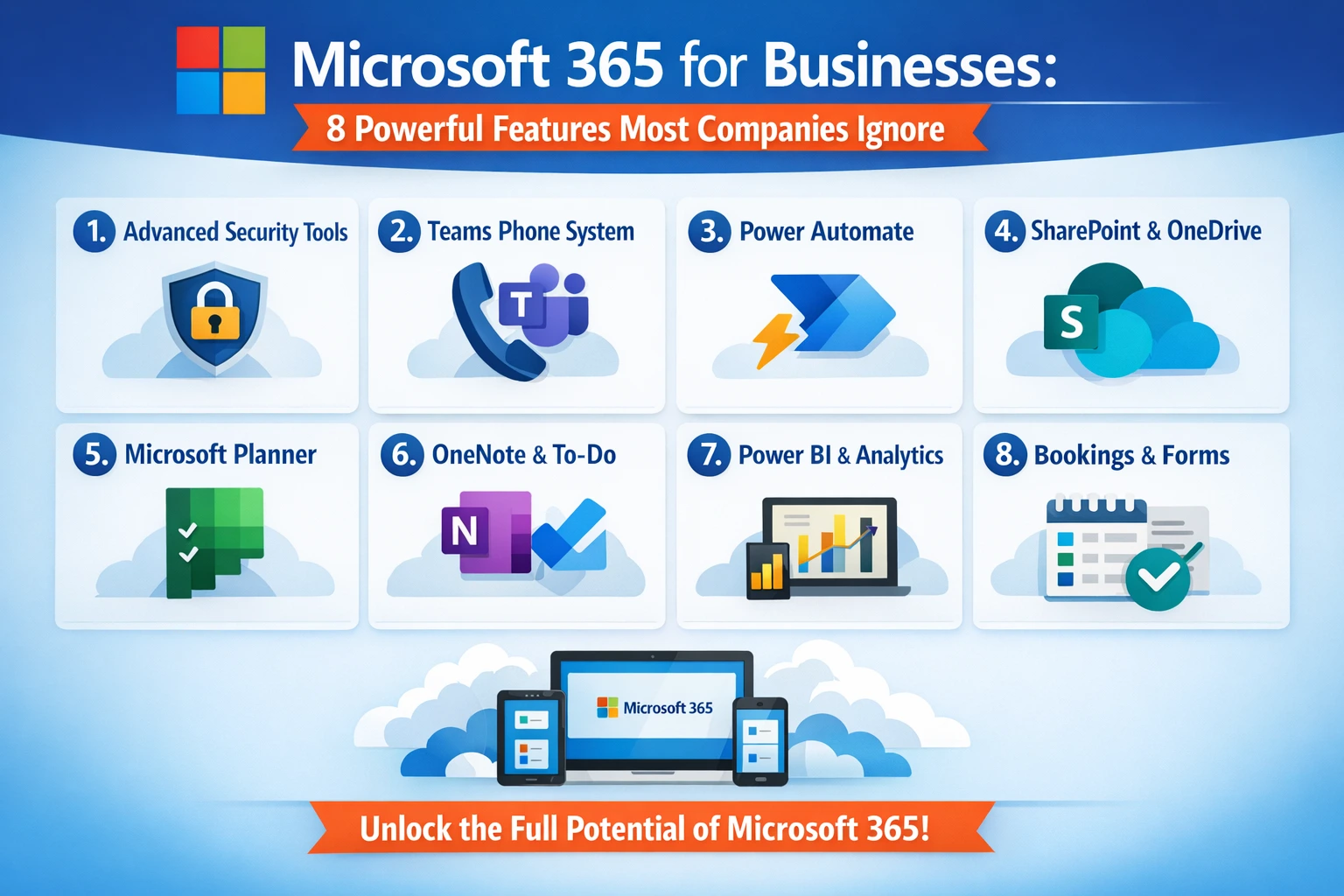
If your company hasn’t fully explored Microsoft 365 yet, this guide will walk you through 8 powerful features most businesses ignore, helping you unlock the platform’s full potential.
What Is Microsoft 365 for Businesses?
Microsoft 365 is a cloud-based suite of productivity tools designed to improve communication, collaboration, and security for businesses of all sizes.
Unlike standalone software, Microsoft 365 offers:
-
Cloud storage with OneDrive
-
Collaborative tools like Teams and SharePoint
-
Business-class email and calendaring
-
AI-powered productivity features
By combining these tools, companies can streamline operations, improve team collaboration, and save money on IT infrastructure.
Why Many Companies Underutilize Microsoft 365
Despite its benefits, studies show that many organizations only use 20–30% of Microsoft 365’s features. This underutilization happens because:
-
Employees are unaware of advanced tools
-
Lack of proper training
-
Focus on only core apps like Word, Excel, and Outlook
Fortunately, by leveraging overlooked features, businesses can maximize ROI and improve productivity significantly.
8 Powerful Microsoft 365 Features Most Companies Ignore
1. Microsoft Teams Advanced Capabilities
While most companies use Teams for chat and video calls, few explore its full functionality.
-
Breakout rooms for focused group discussions
-
Tasks integration with Planner and To Do
-
Teams templates for department-specific workflows
These advanced features allow better project management and streamlined communication across teams.
2. SharePoint for Collaboration Beyond Storage
SharePoint is not just a file repository. Companies can:
-
Build intranet portals for employees
-
Automate document approvals
-
Track projects and store version histories
By using SharePoint, businesses can centralize data while improving workflow efficiency.
3. Microsoft Power Automate
Power Automate allows businesses to automate repetitive tasks, saving hours weekly.
Examples include:
-
Auto-approval workflows
-
Email notifications for updates
-
Data syncing between apps
Tip: Creative IT often helps businesses implement Power Automate to reduce manual errors and enhance productivity.
4. Advanced Security Features
Many organizations ignore Microsoft 365’s security tools, which include:
-
Multi-Factor Authentication (MFA)
-
Data Loss Prevention (DLP) policies
-
Conditional access rules
Using these features reduces risks of cyberattacks and protects sensitive business data.
5. Microsoft Viva for Employee Experience
Microsoft Viva integrates insights, learning, and well-being tools. Features include:
-
Productivity analytics
-
Personalized learning modules
-
Employee engagement tracking
Viva helps boost employee morale and performance, which most companies tend to overlook.
6. AI-Powered Tools in Office Apps
Microsoft 365 now integrates AI features that streamline workflows:
-
Designer in PowerPoint for quick presentations
-
Ideas in Excel to summarize data automatically
-
Copilot in Word for drafting content efficiently
Using these AI features reduces manual work and increases output quality.
7. OneDrive for Business: More Than Cloud Storage
OneDrive is often seen as simple storage, but businesses can also:
-
Sync files across devices automatically
-
Share files securely with external clients
-
Restore previous versions of documents
With proper setup, OneDrive ensures collaboration without version conflicts.
8. Microsoft Forms for Data Collection
Microsoft Forms is excellent for:
-
Employee surveys
-
Customer feedback
-
Event registrations
It’s a lightweight tool that can streamline data collection and reporting without additional software.
Comparison Table: Microsoft 365 Basic vs Advanced Usage
| Feature | Basic Usage | Advanced Usage (Most Ignored) |
|---|---|---|
| Teams | Chat & Calls | Breakout rooms, tasks, templates |
| SharePoint | File storage | Portals, workflow automation, versioning |
| Power Automate | Not used | Automating repetitive business tasks |
| Security | Default settings | MFA, DLP, conditional access |
| Microsoft Viva | Not implemented | Analytics, learning, engagement tracking |
| AI Tools (Word/Excel/PowerPoint) | Manual work | Designer, Ideas, Copilot |
| OneDrive | Cloud storage only | Sync, secure sharing, file recovery |
| Forms | Basic surveys | Customer feedback, automated reporting |
How Creative IT Helps Companies Maximize Microsoft 365
Many businesses struggle to use Microsoft 365 efficiently. This is where Creative IT comes in.
Services Offered:
-
Customized Microsoft 365 setup
-
Employee training and adoption programs
-
Workflow automation using Power Automate
-
Advanced security implementation
By leveraging Creative IT’s expertise, companies can unlock the full potential of Microsoft 365, saving time and increasing productivity.
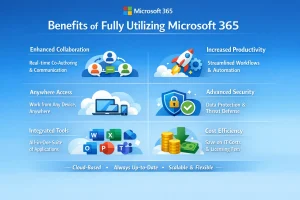
Benefits of Fully Utilizing Microsoft 365
-
Enhanced collaboration across teams
-
Automated workflows reduce manual errors
-
Better decision-making with AI-powered insights
-
Improved security for sensitive business data
-
Employee satisfaction through Viva engagement tools
Tips for Businesses to Get Started
-
Conduct an internal audit of Microsoft 365 usage.
-
Identify underutilized apps and features.
-
Partner with experts like Creative IT for implementation and training.
-
Set up security protocols for remote and hybrid teams.
-
Encourage employees to explore AI tools to improve productivity.
Common Mistakes Companies Make
-
Using only Word, Excel, and Outlook
-
Ignoring workflow automation
-
Not leveraging AI-powered features
-
Skipping employee training
-
Failing to implement security best practices
Avoiding these mistakes can unlock the true power of Microsoft 365.
FAQs About Microsoft 365 for Businesses
Q1: Is Microsoft 365 suitable for small businesses?
Yes, it scales from small businesses to large enterprises, offering productivity tools for all.
Q2: Can Microsoft 365 improve team collaboration?
Absolutely. Tools like Teams, SharePoint, and OneDrive enhance communication and collaboration significantly.
Q3: Do AI features in Microsoft 365 really help?
Yes, features like Designer, Ideas, and Copilot reduce manual work and improve efficiency.
Conclusion
Microsoft 365 offers far more than basic apps. By exploring its underutilized features, businesses can enhance productivity, improve security, and save valuable time.
Partnering with Creative IT ensures proper implementation, training, and ongoing support, allowing companies to fully leverage Microsoft 365’s potential.
Unlock these hidden features today and make your business operations smarter, faster, and more secure.