In today’s digital world, data is the backbone of every business. From customer records to financial reports, everything depends on secure data storage.
However, data loss can happen anytime—whether due to cyberattacks, hardware failure, or human error.
So, the critical question is: Cloud backup vs traditional backup — which one actually protects your business data?
In this guide, we will break down both options in detail. Moreover, we will analyze their strengths, weaknesses, and real-world use cases.
According to insights from Serjax, choosing the right backup strategy is essential for long-term business continuity and data security.
What Is Business Data Backup?
Business data backup refers to creating copies of your important data so that it can be restored if the original data is lost or corrupted.
Without a proper backup system, businesses may face serious consequences. For instance:
- Data loss due to system crashes
- Financial losses
- Downtime and productivity issues
- Damage to brand reputation
Therefore, having a reliable backup solution is no longer optional—it is a necessity.
What Is Traditional Backup?
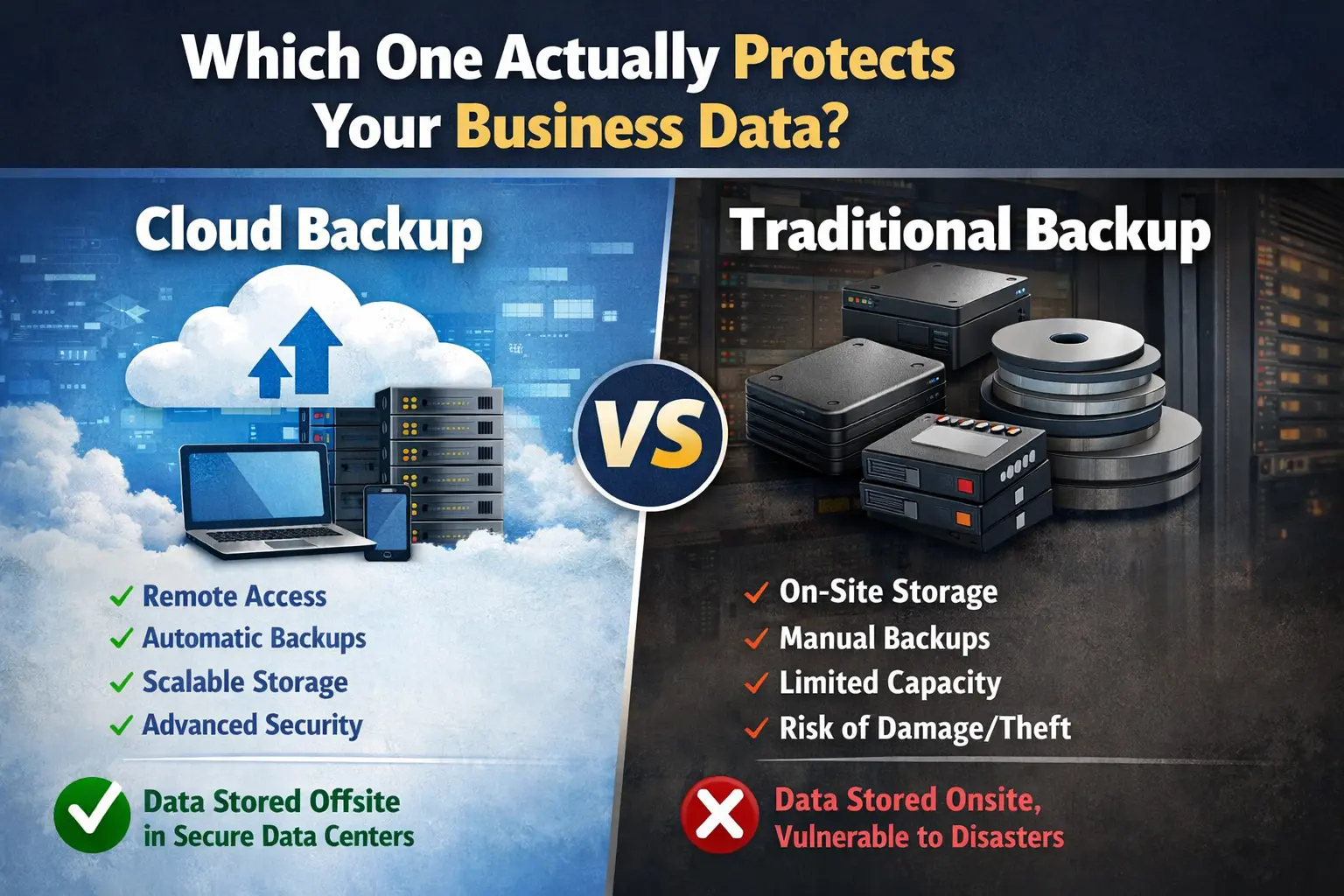
Traditional backup involves storing data on physical storage devices. These devices are usually kept on-site, giving businesses direct control over their data.
Common Types of Traditional Backup
- External hard drives
- Tape storage systems
- Local servers (NAS)
Advantages of Traditional Backup
Firstly, traditional backup offers complete control over your data. In addition, it does not require an internet connection.
- Full data ownership
- No dependency on internet
- One-time investment
Disadvantages of Traditional Backup
However, traditional backup also comes with several limitations.
- High risk of hardware failure
- Limited storage capacity
- Manual backup process
- Vulnerable to theft, fire, or disasters
As a result, relying only on traditional backup can be risky for modern businesses.
What Is Cloud Backup?
Cloud backup stores your data on remote servers managed by third-party providers.
These backups are accessible via the internet and are secured with advanced technologies.
Advantages of Cloud Backup
Cloud backup has become increasingly popular due to its flexibility and efficiency.
- Access Anywhere – Retrieve data from any location
- Automated Backups – Reduces human error
- Scalable Storage – Easily expand as needed
- Disaster Recovery – Protects against physical damage
- Cost Flexibility – Pay-as-you-go pricing
Disadvantages of Cloud Backup
Despite its benefits, cloud backup also has a few drawbacks.
- Requires a stable internet connection
- Ongoing subscription costs
- Possible data privacy concerns
Nevertheless, these challenges can be managed by selecting trusted solutions, as highlighted by Serjax.
Cloud Backup vs Traditional Backup: Key Differences
To better understand the comparison, let’s look at a detailed table:
| Feature | Traditional Backup | Cloud Backup |
|---|---|---|
| Storage Location | On-site | Remote servers |
| Accessibility | Limited | Global access |
| Automation | Manual | Automatic |
| Scalability | Limited | Highly scalable |
| Security | Physical risks | Encrypted & secure |
| Disaster Recovery | Weak | Strong |
| Cost | One-time | Subscription-based |
Clearly, cloud backup offers more flexibility, while traditional backup provides control.
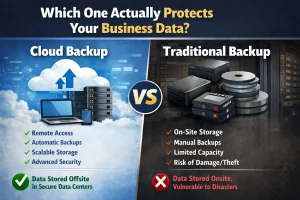
Which One Actually Protects Your Business Data?
When it comes to real protection, cloud backup has a clear advantage.
Firstly, cloud backup ensures continuous data protection through automation.
Secondly, it protects against local disasters, which traditional backup cannot handle effectively.
However, traditional backup still has value. Therefore, many experts—including insights aligned with Serjax recommendations—suggest using a hybrid backup approach.
Why Hybrid Backup Is the Best Strategy
A hybrid backup strategy combines both cloud and traditional methods. As a result, businesses get the best of both worlds.
Benefits of Hybrid Backup
- Faster local recovery
- Offsite disaster protection
- Reduced risk of total data loss
- Improved reliability
For example, you can store daily backups in the cloud while keeping a local copy for quick access.
Key Factors to Consider Before Choosing a Backup Solution
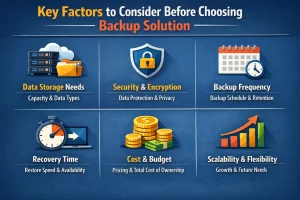
Before selecting a backup method, you should evaluate several factors.
1. Business Size
Small businesses often prefer cloud backup due to lower costs. On the other hand, large enterprises may require hybrid systems.
2. Data Sensitivity
If your data is highly sensitive, choose solutions with strong encryption and compliance standards.
3. Budget
Traditional backup requires upfront investment, whereas cloud backup spreads costs over time.
4. Recovery Speed
Cloud backup generally offers faster recovery compared to traditional methods.
Best Practices for Data Protection
Regardless of the method you choose, following best practices is essential.
- Schedule regular backups
- Use automated backup systems
- Test your recovery process frequently
- Apply strong encryption methods
- Follow the 3-2-1 backup rule
By doing so, businesses can significantly reduce risks.
Role of Serjax in Modern Data Backup Strategy
According to Serjax insights, businesses today should focus on scalable, automated, and secure backup solutions.
Moreover, Serjax emphasizes:
- Using cloud-first strategies
- Implementing hybrid backup systems
- Ensuring compliance and data protection standards
Therefore, aligning your backup strategy with these modern practices can improve both security and efficiency.
Frequently Asked Questions (FAQs)
Which is better: cloud backup or traditional backup?
Cloud backup is generally better due to automation, scalability, and disaster recovery. However, a hybrid approach offers maximum protection.
Is cloud backup more secure than traditional backup?
Yes, cloud backup is usually more secure because it uses encryption and secure data centers, while traditional backup is vulnerable to physical risks.
Can cloud backup protect against ransomware?
Yes, cloud backup allows businesses to restore previous data versions, helping recover from ransomware attacks.
Do businesses still use traditional backup?
Yes, traditional backup is still used as a secondary solution for quick local recovery.
How often should backups be performed?
Ideally, businesses should back up data daily or in real time using automated systems.
What is the safest backup strategy?
The safest method is the 3-2-1 backup strategy, which ensures multiple layers of protection.
Conclusion: Making the Right Choice

In conclusion, both cloud backup and traditional backup have their advantages.
However, cloud backup stands out as the more advanced and reliable solution for modern businesses.
At the same time, combining both methods through a hybrid strategy ensures maximum protection.
Ultimately, by following best practices and insights from Serjax, businesses can secure their data, reduce risks, and ensure long-term success.